Connecting Microsoft Business Central to an Azure Data Lake — Part 4
Jesper Theil Hansen · Apr 6, 2025 · 3 min read · Business Central
Series: Part 1 — Scheduling of Export and Sync | Part 2 — Avoiding Sync Collisions | Part 3 — Duplicate Records After Deadlock Error | Part 4 — Archiving Data to Speed Up Sync
After running the data lake solution for some time, it became apparent that both execution times and costs on the lake side were increasing slowly.
Note: This walkthrough is for the Synapse-based data lake flow. Archiving when using Fabric and delta data backing isn't as important since the notebook-based sync is more efficient and doesn't copy and consolidate all existing data every time.
How the Default Sync Works
The default sync pipeline and dataflow in BC2ADLS works like this:
- BC exports new data to
/deltafolder - Pipeline / Dataflow copies delta files to
/staging - Pipeline / Dataflow copies all existing current data to
/staging - Deltas are merged with / added to existing data in
/staging - Resulting new dataset is copied back from
/stagingto/data
As more and more data gets added, all new syncs copy and merge with the complete dataset — growing over time.
Archiving Solution
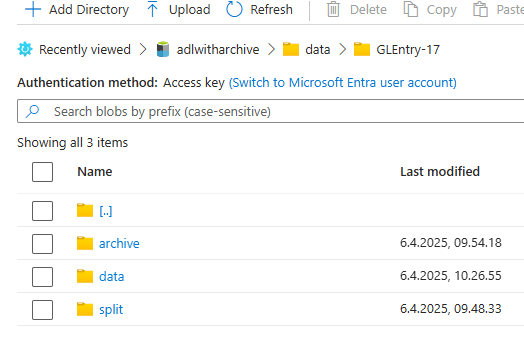
Final synced data is in the /data folder. To archive, split the files into two subfolders:
/data/GLEntry-17
  /data
  /archive
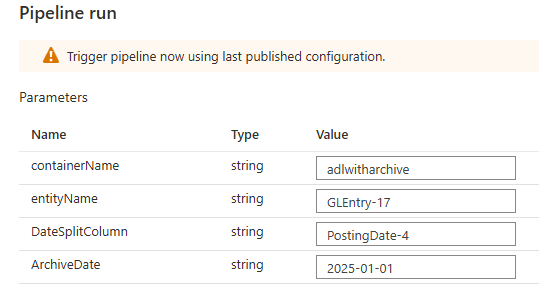
The archiving is done with a dataflow called SplitArchiveData and a pipeline called ArchiveData. It also uses an integration dataset called data_dataset_split.
Parameters:
| Parameter | Description |
|---|---|
DateSplitColumn | The name of a date field that determines if the record should be archived |
ArchiveDate | The cutoff date — records before this date are moved to archive |
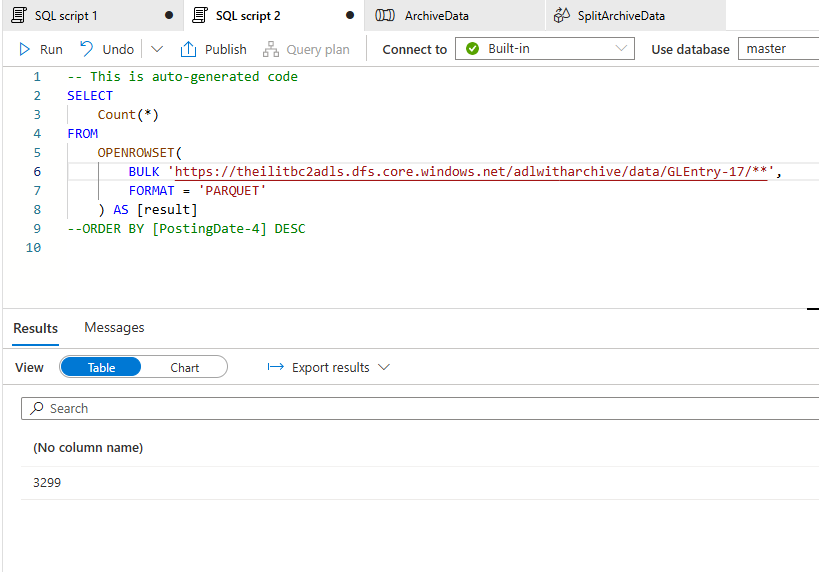
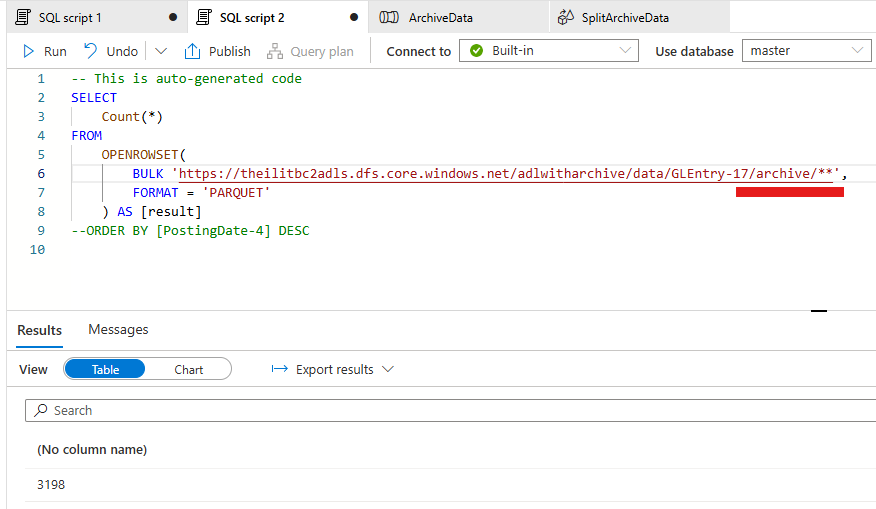
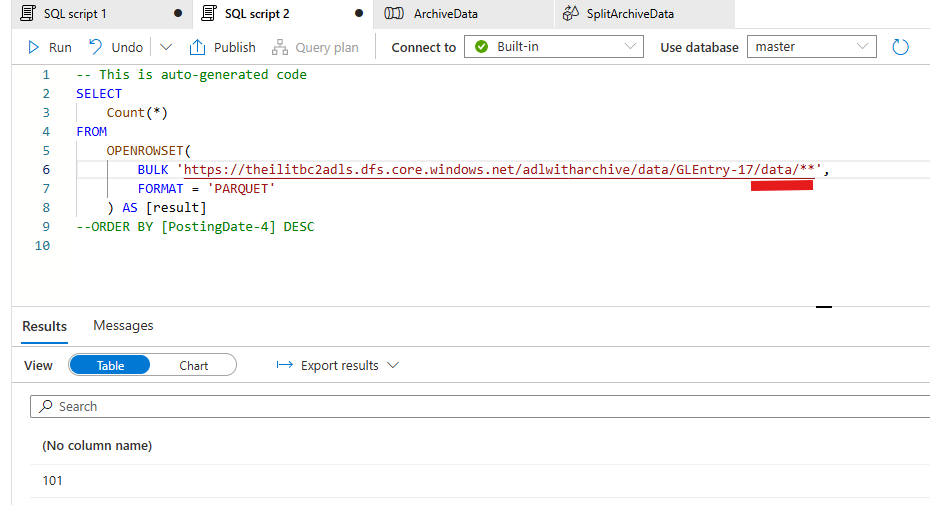
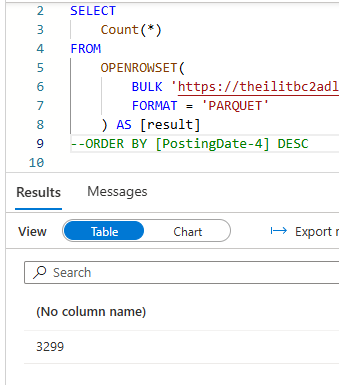
Test results on 3299 GLEntry records:
- After archiving: still 3299 records total when reading recursively from
/GLEntry-17folder - 101 records in
/data(recent) - 2198 records in
/archive
Important AL Code Change
The manifest rootLocation needs to be updated so the Consolidation dataflow reads only from /data (not /archive) during syncs.
Original:
DataPartitionPattern.Add('rootLocation', Folder + '/' + EntityName);
Changed to:
if (Folder = 'data') then
  DataPartitionPattern.Add('rootLocation', Folder + '/' + EntityName + '/data')
else
  DataPartitionPattern.Add('rootLocation', Folder + '/' + EntityName);
What to Archive and When
Archive all transaction tables/ledgers after final close of the fiscal year. Tables that rarely change don't need archiving since the delta-check means consolidation only runs when there are changes.
Files Available
All files are available in the Archive branch of the BC2ADLS fork at github.com/jespertheil/bc2adls/tree/Archive:
| File | Location | Description |
|---|---|---|
CDMUtil.Codeunit.al | businessCentral\app\src | The AL code change |
data_dataset_parquet.json | synapse\dataset | Changed dataset pointing to live data for consolidation pipelines |
SplitArchiveData.json | synapse\dataflow | New dataflow that does the actual split |
ArchiveData.json | synapse\pipeline | New pipeline that prepares data and calls the split dataflow |
data_dataset_split.json | synapse\dataset | New dataset pointing to the split folder |
Screenshots