Connecting Microsoft Business Central to an Azure Data Lake — Part 1
Jesper Theil Hansen · Mar 27, 2025 · 4 min read · Business Central
Series: Part 1 — Scheduling of Export and Sync | Part 2 — Avoiding Sync Collisions | Part 3 — Duplicate Records After Deadlock Error | Part 4 — Archiving Data to Speed Up Sync
For about a year I have been managing a solution for a client where, based on the BC2ADLS project, we run an Azure Data Lake connected to an on-premise Microsoft Business Central implementation. I thought I would share some learnings and a few tips on how we adapted the solution to fit this customer's use case and requirements.
The BC2ADLS solution was first published as a sample by the Microsoft Business Central Dev team. That solution is no longer actively maintained but can be found here. The currently maintained version is managed by Bert Verbeek — the best source for getting started is the ReadMe and Setup files at github.com/Bertverbeek4PS/bc2adls.
There are two paths you can take for the Azure side: Azure Data Lake with Synapse, or Microsoft Fabric. This implementation and most of the changes in these posts apply to the Azure Data Lake approach, but can be adapted for Fabric if desired.
First Challenge: Scheduling and Synchronization
The BC2ADLS solution has two primary sides:
- Business Central exports data deltas at intervals
- Synapse pipelines merge and consolidate deltas with the data lake
For our implementation we needed to export data from 90 tables to the lake for different consumers. Not all data needed to be equally current — some was fine to synchronize once per 24 hours overnight, but other data needed to be available per hour.
The default BC2ADLS implementation lets you set up a Job Queue Entry to schedule data lake export from BC. From our testing, this export was fast, reliable and didn't noticeably affect the running system. So we set up the export from BC to run at the top of every hour at minute :00.
On the Azure side, consolidation is handled by Synapse pipelines using a dataflow and additional artifacts. The base solution comes with 3 pipelines:
- Consolidation_OneEntity — starts the actual sync
- CheckForDeltas — looks in the Delta folder for new delta files; if none found, skips the sync to save processing time
- Consolidation_AllEntities — loops through all entities and calls Consolidation_CheckForDeltas for all of them
Synchronization Groups
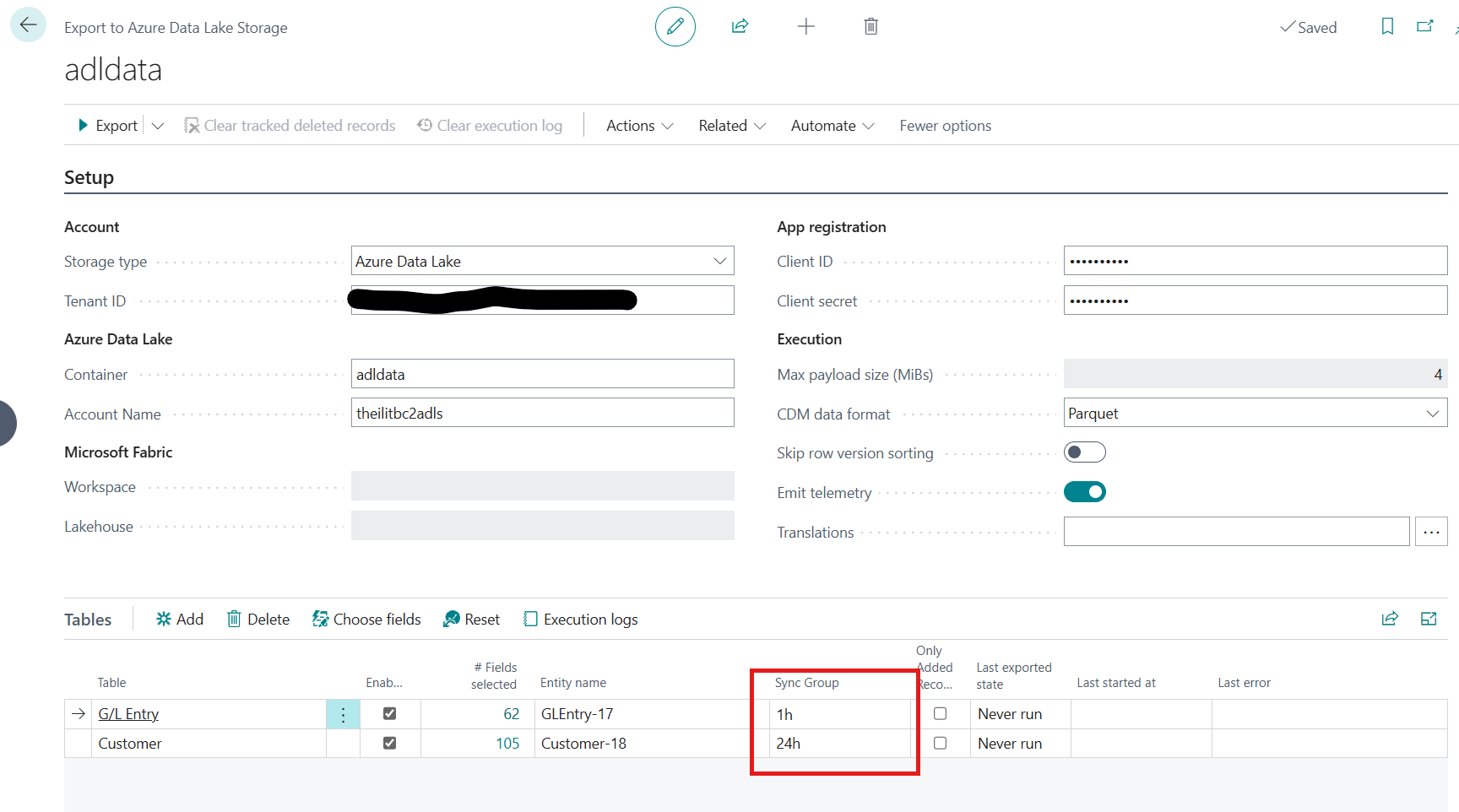
We added a configuration field to the "ADLSE Table" — a SyncGroup text field — that lets different entities be grouped for different sync schedules.
Example SyncGroups: 1h, 12h, 24h (names are arbitrary — they just need to match what's configured in Synapse triggers).
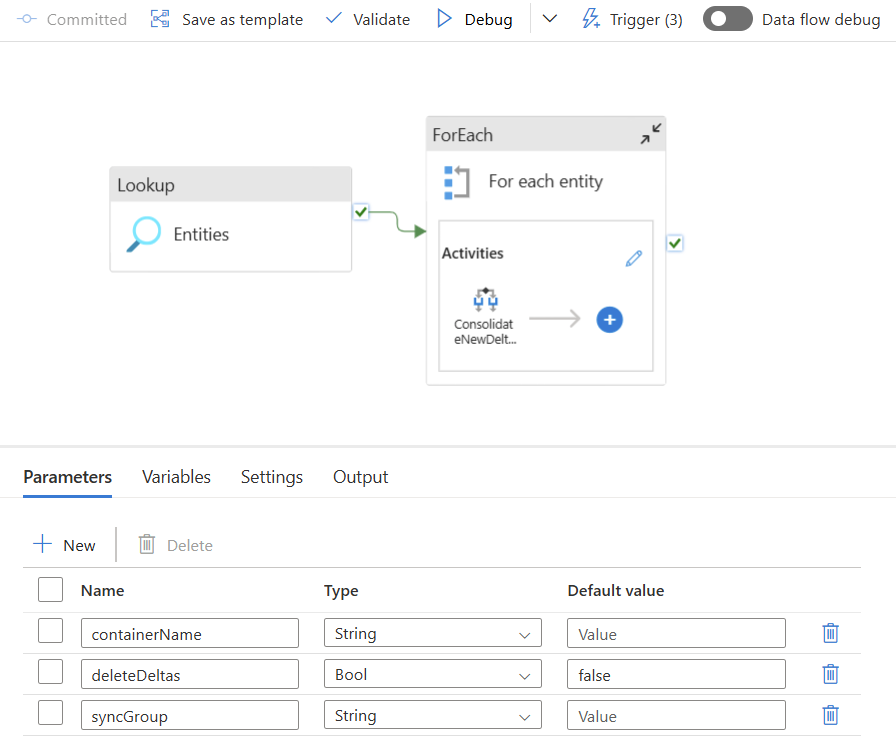
On the Synapse side, a new pipeline Consolidation_SyncGroup was added. It takes a parameter for the SyncGroup name and loops through all entities with that group, calling Consolidation_CheckForDeltas for each.
The Consolidate If/Then Activity uses this logic:
@equals(item().syncGroup, pipeline().parameters.syncGroup)
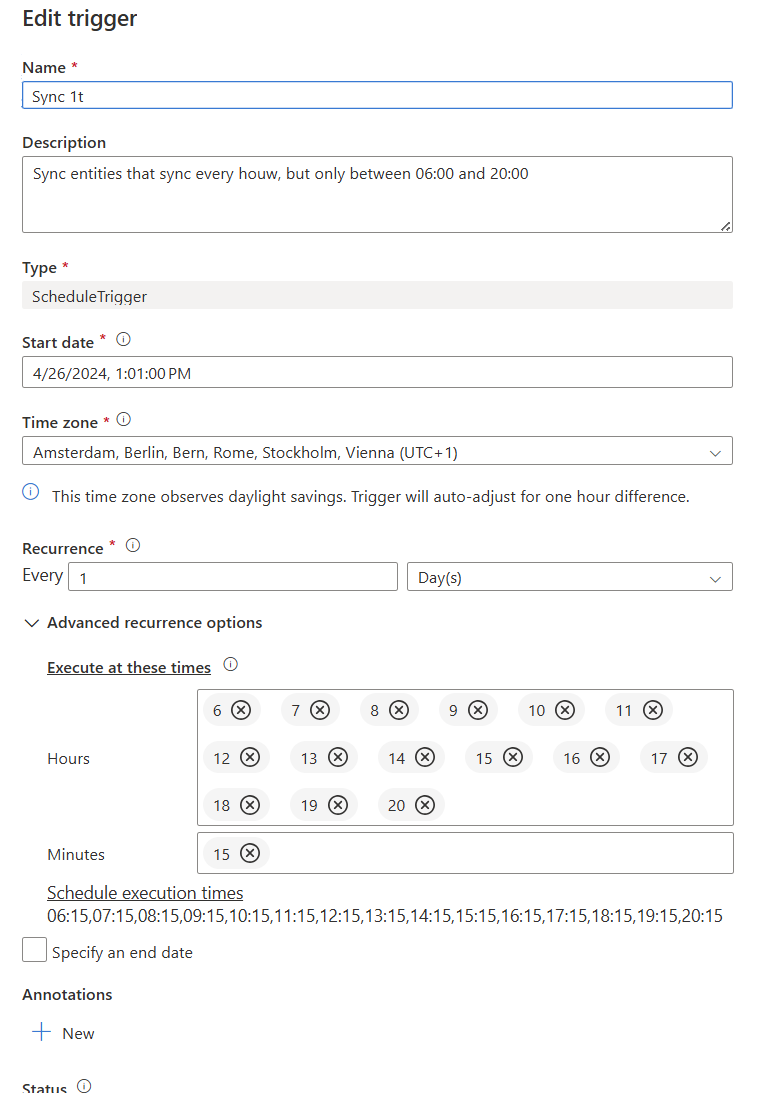
Three triggers are set up — named the same as the SyncGroups: 1h, 12h and 24h — configured to fire at those intervals. Example: the 1h sync runs every hour between 6 and 20 at minute :15.
Screenshots